Observe // measure // record
Signal Lab
See live wave, trail, spectrum, spectrogram, and energy views. Compare peak, RMS, and frequency, freeze the evidence, or record a strange vibration.
Launch Signal Lab → Case file 001
Mission 02 // App bay
A piezo can measure movement, shape its sound, or create vibration. Choose a tool based on what you want to discover.
How the apps see vibration
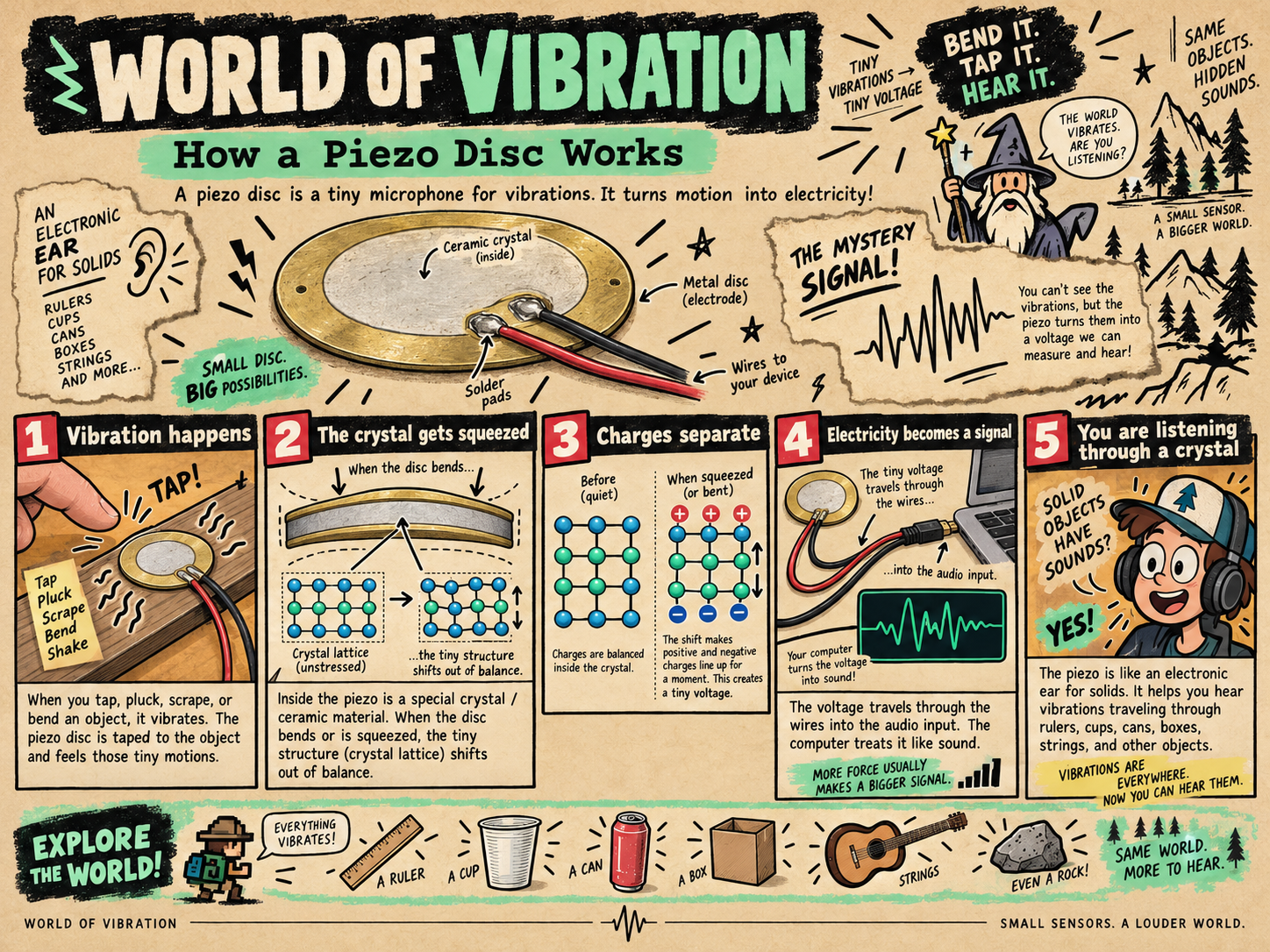
The piezo turns tiny movements into a tiny changing voltage. The apps measure that voltage very fast—many times every second—and draw each reading on the screen. Together, those readings reveal the shape, strength, and rhythm of the vibration.
Observe // measure // record
See live wave, trail, spectrum, spectrogram, and energy views. Compare peak, RMS, and frequency, freeze the evidence, or record a strange vibration.
Launch Signal Lab →Input mode // piezo listens
Amplify taps, plucks, scrapes, and knocks. Watch the live waveform, compare input strength, and shape the sound with gain, drive, filter, space, and presets.
Launch Junk Amp →Output mode // piezo speaks
Generate tones, compare waveforms, play a scale, and sweep through frequencies to find the disc’s strongest resonances.
Launch Speaker Lab →Shared app // program it
Use microphone volume as a number, split hits into zones, or capture the peak so vibration can control music and games.
Open Snap! →Before you launch
Plug the piezo into a microphone/headset input or USB audio adapter. Allow microphone access, pick the correct input, and raise sensitivity or gain slowly.
Connect the piezo to one headphone channel plus ground. Never tie the left and right outputs together. Start at low volume.