00 - Discover the piezo
Zoom inside a piezo and discover how a wiggle becomes an electrical signal.

Step by step
- Step 1 of 7
Welcome to the crystal hall
Imagine making music in a crystal cavern! Quartz is a common crystal you may have seen in rocks. A tiny squeeze can make it create an electrical signal: that’s piezoelectricity. Our crystal microphone uses the same idea, with a thin ceramic wafer full of tiny crystals. Let’s discover how it listens to vibrations.

- Step 2 of 7
Meet the tiny vibration translator
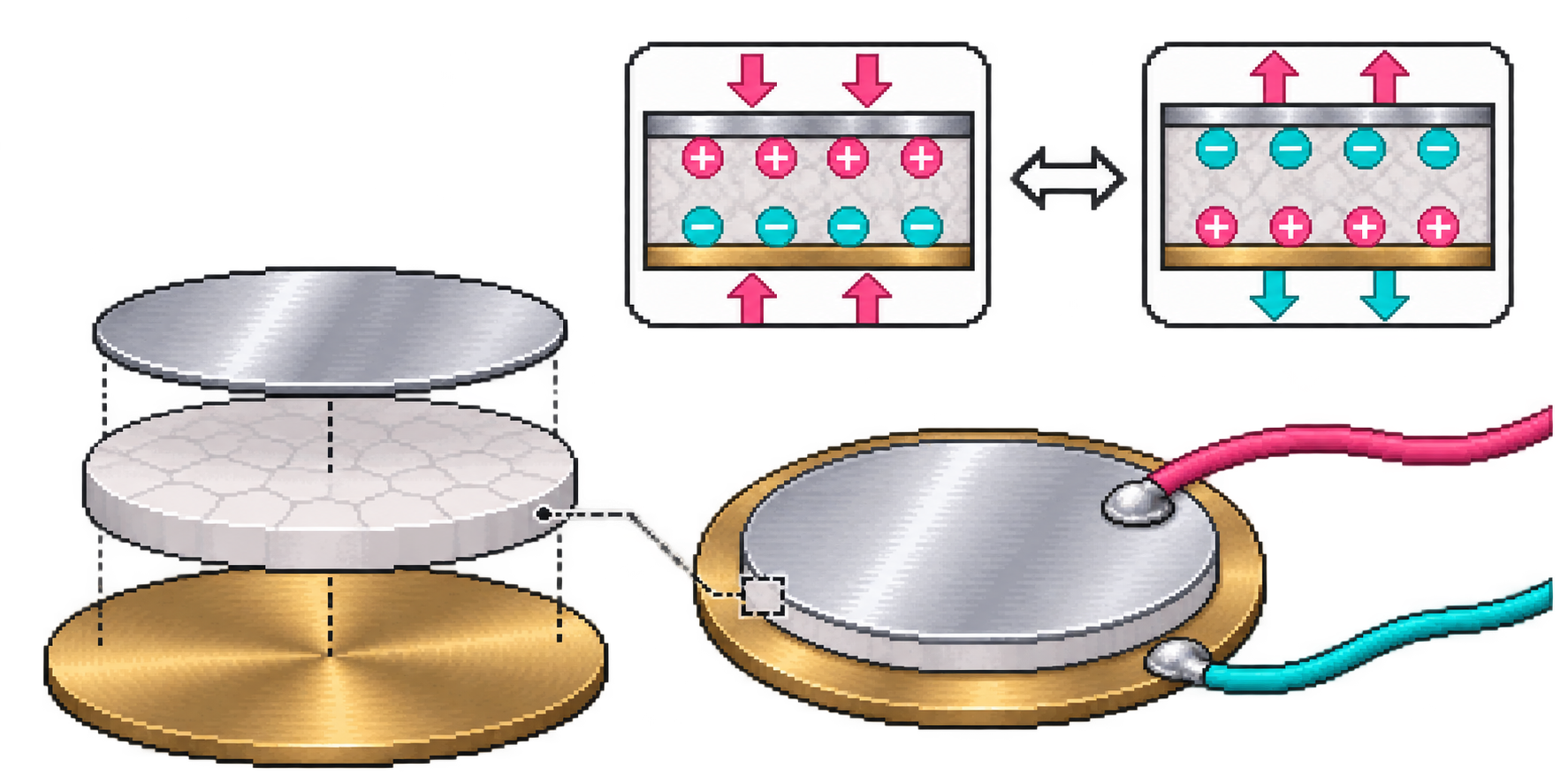
That shiny disc is a piezo sensor. A thin layer of special ceramic is bonded to a metal disc. When something vibrates, the disc bends by a tiny amount. Its two wires carry a changing electrical signal. The separated layers in this picture help you look inside.
- Step 3 of 7
Zoom into a crystal lattice
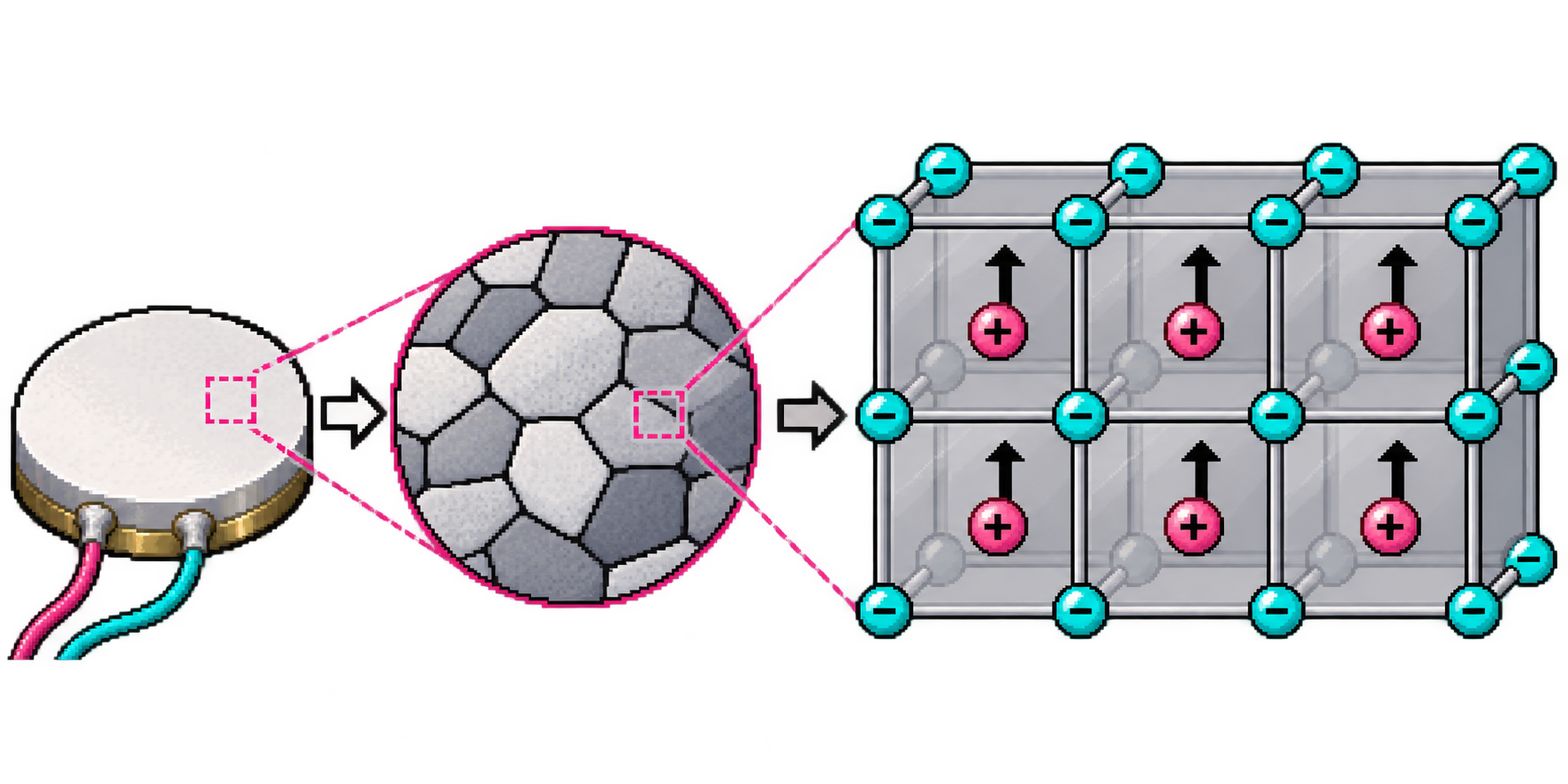
The ceramic contains lots of tiny crystals. Inside each crystal, tiny building blocks of matter form a repeating pattern called a crystal lattice. Some carry positive (+) or negative (−) electric charge. The ceramic is prepared so many tiny regions work together. This is a hugely magnified model: the particles and spaces are not drawn to scale.
- Step 4 of 7
A tiny bend becomes an electrical push
When the material bends a little, the + and − parts shift slightly compared with each other. That changes the charge arrangement and creates a voltage between the metal faces. Voltage is an electrical push. Vibrations keep changing that push, so the wires carry a changing signal. The movement is exaggerated in this drawing. Your tap supplies the energy; the piezo is not a battery.

- Step 5 of 7
Follow the same wiggle
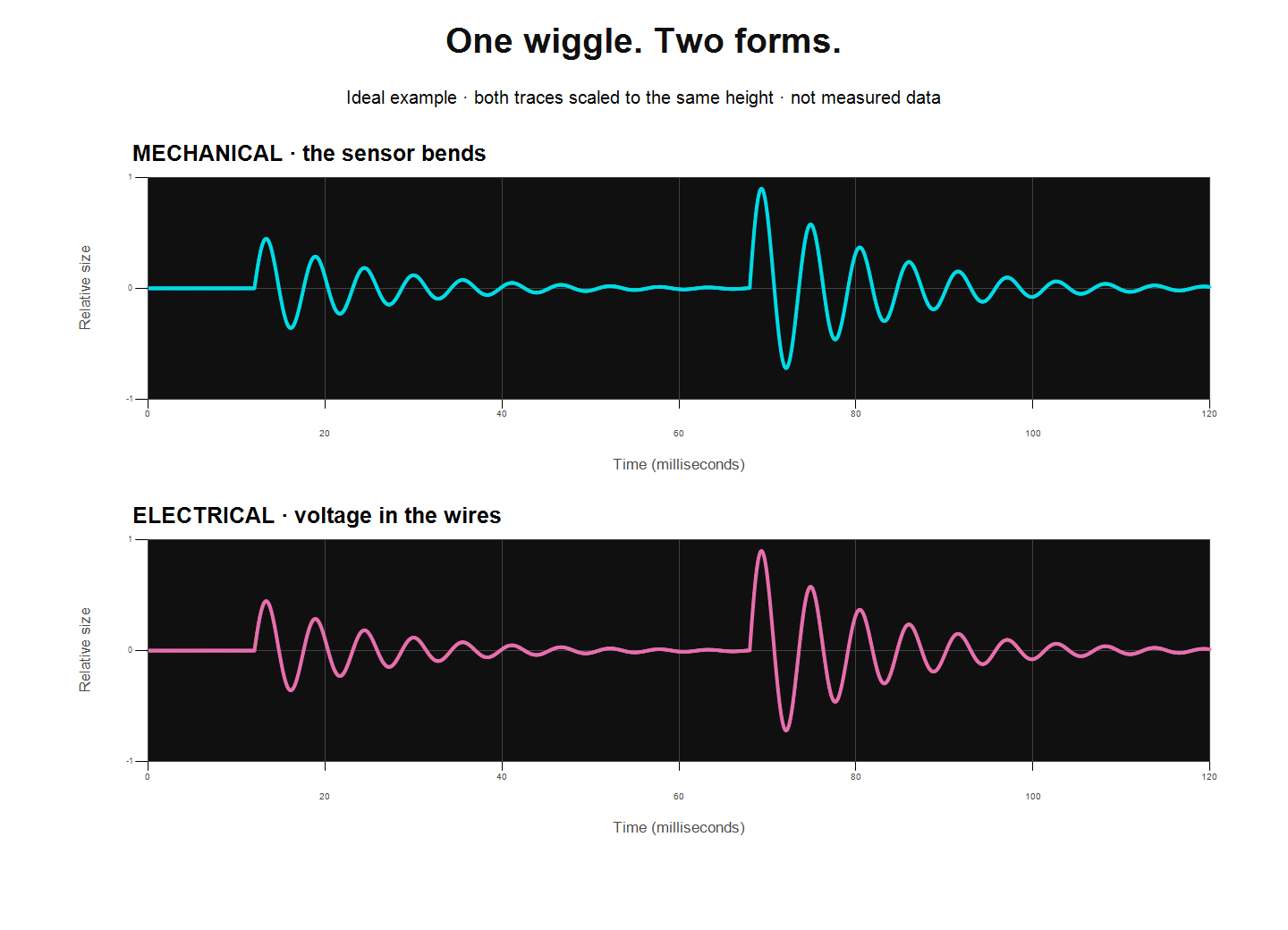
A waveform draws a wiggle over time. The top line shows the sensor bending back and forth. The bottom line shows voltage. Every bump lines up! These two curves are exactly matched in an ideal model and scaled to the same height; they are not measurements. A real sensor and audio input can change the size, turn the wave upside down, or alter its shape.
- Step 6 of 7
Learn the word transducer
A transducer changes energy from one form into another. Our piezo changes some energy from movement into an electrical signal. The audio input measures that signal so the computer can show it as a waveform. Software can then use it to make a sound or control a game. The little signal carries information about your vibration; it does not power the computer.
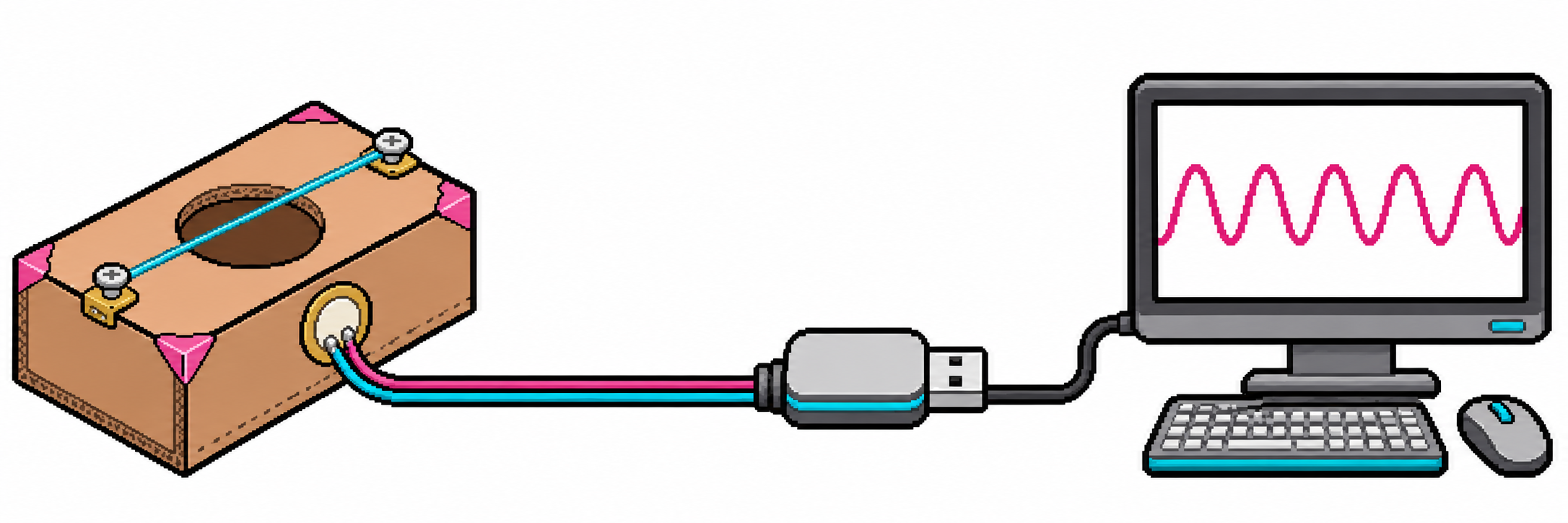
- Step 7 of 7
Run the idea backwards
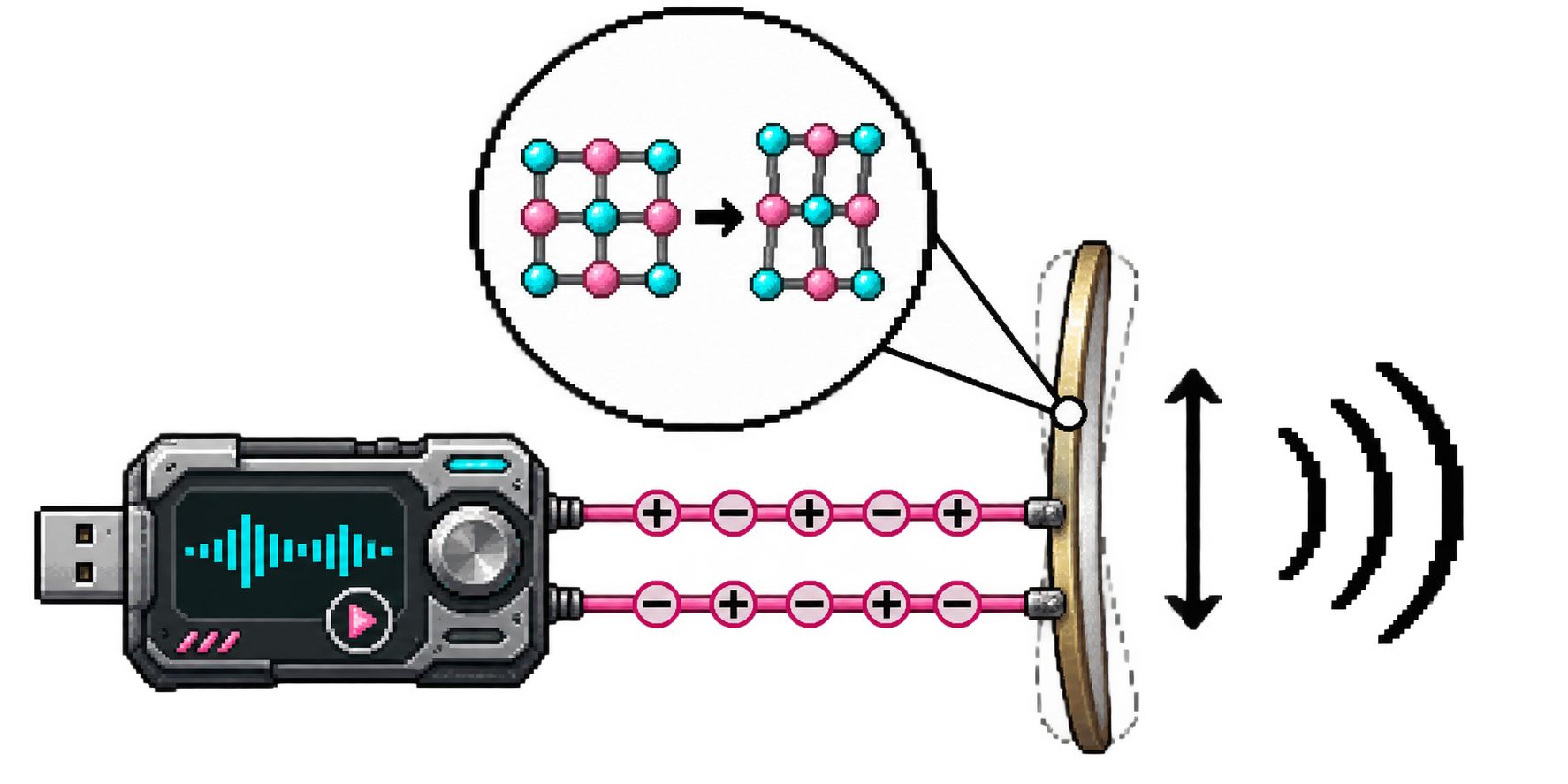
Electricity can make a piezo move, too! A changing voltage makes the ceramic stretch and shrink a tiny amount. The metal disc bends and moves the air: sound! That is the reverse piezoelectric effect. The faint outlines exaggerate the movement. A microphone turns movement into an electrical signal; a speaker turns an electrical signal into movement. Which direction is your piezo working when it listens? When it beeps?